
生成AI、どこまで仕事を任せる? 「がっつりAI」初回レポート
生成AI、どこまで仕事を任せる?
「がっつりAI」初回レポート
(The English version follows the Japanese text.)
2026年11月18日、Creative Guildで、生成AIを仕事に取り入れているメンバーが互いの使い方を持ち寄る「がっつりAI」を、トライアルとして初めて開催しました。この日の問いは、生成AIに「実際の仕事で、どこまで任せているか」。ゆっくりAI勉強会にも関わるメンバーが集まり、自分で組んだスキルや日々の仕事の進め方を紹介し合いました。
メール整理からプロジェクト管理まで、普段の使い方を持ち寄る
最初に上がったのは、受信メールを「返信が必要か」「優先して読むべきか」といった基準で振り分ける例です。まず用件を仕分けし、対応が必要なものについて、内容の読み込みや返信案の作成へ進む。処理を段階に分けることで、時間をかけて読みたい連絡が見えてきます。問い合わせフォームから届く連絡にも、同じ考え方を応用できそうだという話が出ました。
ほかにも、会議の議事録をもとにプロジェクトの課題やリスクを一覧に追記し、次の打ち合わせで確認する問いを考える例や、日々見つけた情報やアイデアを一か所に集め、発信の下準備に活かす例が紹介されました。同じ生成AIでも、仕事の流れや困りごとが違うと、任せる仕事も変わります。互いの実例を聞くうちに、紹介された工夫を自分の仕事にも取り入れられそうか、その場で考える会話が生まれました。
一度動く仕組みを、毎日の仕事で使える形にする
対話は、便利な使い方の紹介から、どうすれば日々の運用に乗せられるかへ。たとえば、届く議事録のファイル名が毎回違う場合は、資料を所定のフォルダに入れるところを人が担当し、その先の整理をAIに任せるという工夫がありました。実際に繰り返し動かすと、出力の形式が揺れたり、処理にかかる時間や費用が気になったりすることもあります。どの工程を任せると助かるのか、どこで人が確かめると無理なく続けられるのか。具体的な手順を聞いて初めて見えてくる論点でした。
次は「メールとDMの整理」を、みんなで掘り下げる
初回を受け、今後は毎回一つのテーマを選び、それぞれのやり方を持ち寄って「自分たちならどう組み立てるか」を考える勉強会にしていくことになりました。動画制作やレポート作成、ウェブ運営も候補に上がるなか、次回のテーマに選んだのは、メールやSNSのDMの整理です。
複数の場所に届く連絡をどうまとめるか。返信が必要なものをどう見つけるか。身近な仕事を一つ取り上げ、AIをどの工程で使うと助かるのかを、具体的な手順に落としていきます。仕分けの基準や確認のタイミングも、参加者それぞれの工夫を持ち寄って考えます。次回は12月16日(水)13時30分からの開催を予定しています。
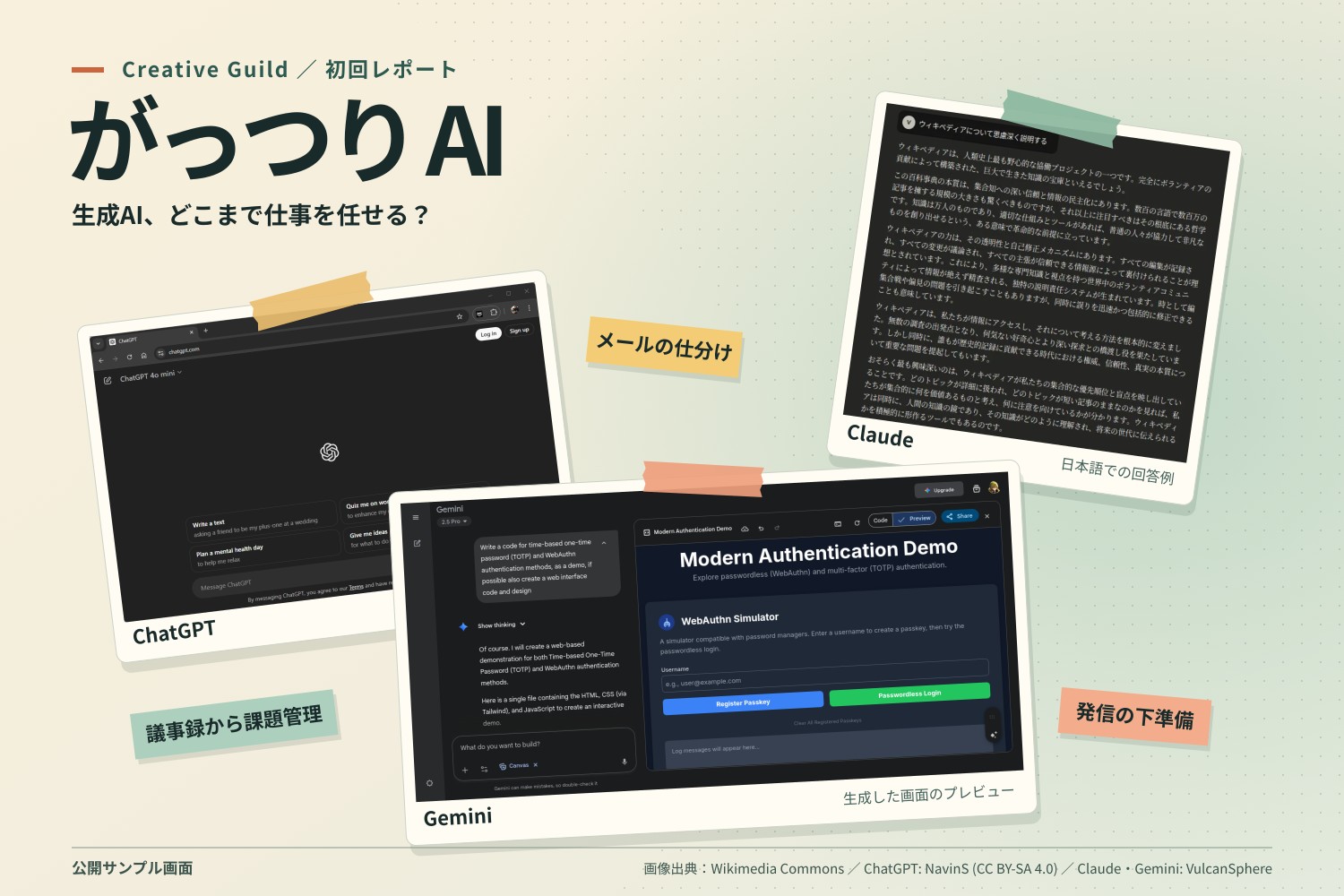
アイキャッチは公開サンプル画面を再配置した画像です。出典は Wikimedia Commons の ChatGPT(NavinS)、Claude・Gemini(VulcanSphere)。画像は CC BY-SA 4.0 で提供します。
How Much Work Can You Hand Over to Generative AI?
The First Gattsuri AI Session
On November 18, 2026, Creative Guild held the first trial session of Gattsuri AI. Members who already use generative AI at work brought examples of how they use it. The question for the session was how much of their day-to-day work they actually hand over to AI. Members involved in the Yukkuri AI Study Group shared the reusable skills they had built and the workflows they use in practice.
Sharing everyday workflows, from email triage to project management
The first example was sorting incoming emails by criteria such as whether a reply was needed or whether the message warranted immediate attention. An initial pass sorts the messages. Items that need a response can then be read more closely and used to draft a reply. Breaking the work into stages makes it easier to see which messages deserve more time. The group also discussed how to apply the same approach to inquiries submitted through a web form.
Other examples included using meeting minutes to update a list of project issues and risks and to prepare questions for the next meeting. Another member showed how collecting information and ideas in one place could help prepare content for publication. What people delegate to generative AI depends on their workflows and the problems they face. Hearing each other’s examples gave members a chance to consider what might work in their own jobs.
Making a workflow reliable enough for everyday use
The conversation turned to what it takes to keep a workflow running day to day. For instance, when incoming sets of minutes have inconsistent filenames, one approach is for a person to place them in a designated folder before AI takes care of organizing the contents. Repeated use can expose variations in output format, processing time, and cost. Which steps are worth delegating? Where does a human check make the workflow easier to maintain? Walking through the actual steps brought those questions into focus.
Next, a closer look at organizing email and DMs
Following the trial, the group agreed to pick one topic per session, share individual approaches, and work out how they would tackle it together. Ideas included video production, report writing, and website management. For the next session, the group chose organizing email and social media DMs.
How can you bring messages from several places into one view? How do you spot the ones that need a reply? Starting with one familiar task, the group will look at which steps AI can help with and translate those ideas into a concrete workflow. Participants will compare how they decide what goes where and when to check the results. The next session is planned for Wednesday, December 16, at 1:30 p.m. Japan time.
The featured image arranges publicly available screenshots from Wikimedia Commons: ChatGPT by NavinS, and Claude and Gemini by VulcanSphere. The composite is available under CC BY-SA 4.0.


この記事へのコメントはありません。