
【開催レポート】その情報、AIに入れていいですか? A4一枚から始める社内ルールづくり|2026年11月24日
【開催レポート】その情報、AIに入れていいですか?
A4一枚から始める社内ルールづくり|2026年11月24日
(The English version follows the Japanese text.)
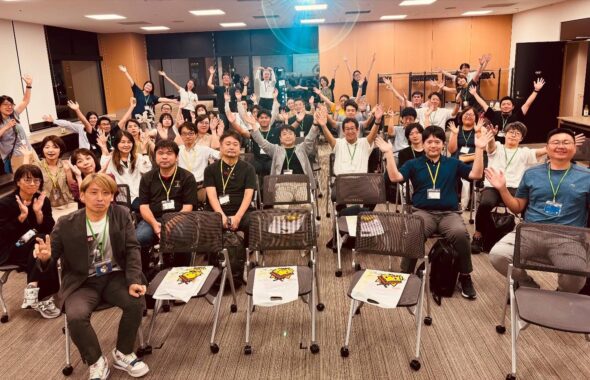
2026年11月24日、長野県経営者協会主催、Creative Guild協力の「ビジネスパーソンのためのAIセキュリティ講座」をオンラインで開催し、約30名の方にご参加いただきました。講師は、ブリッジドット株式会社代表取締役で、Creative Guildのデジタル&ラーニング ナビゲーターを務める佐藤雄大さんです。
会議の議事録を要約したい。お客様へのメールの下書きをつくりたい。生成AIを仕事で使う場面が増えると、「この資料を入れてもいい?」「出てきた答えをどこまで使っていい?」と迷う場面も増えてきます。今回の講座では、そんなときに立ち返れる自社のAI利用ルールを考えました。
丁寧なメールが届いたら、何を確かめる?
講座で紹介されたのは、取引先から届いたように見える二通のメール。どちらも丁寧で自然な日本語です。本物はどちらか。クイズの答えは、どちらもAIで作成した架空の詐欺メールでした。
例えば、振込先の変更を急ぐよう求められたら、普段から使っている連絡先で取引先に確認し、送金前に社内でもう一人と確かめる。メールの文面だけで見分けるのが難しくても、確認の手順は日々の仕事に組み込めます。
AIに入れる前と、外に出す前に
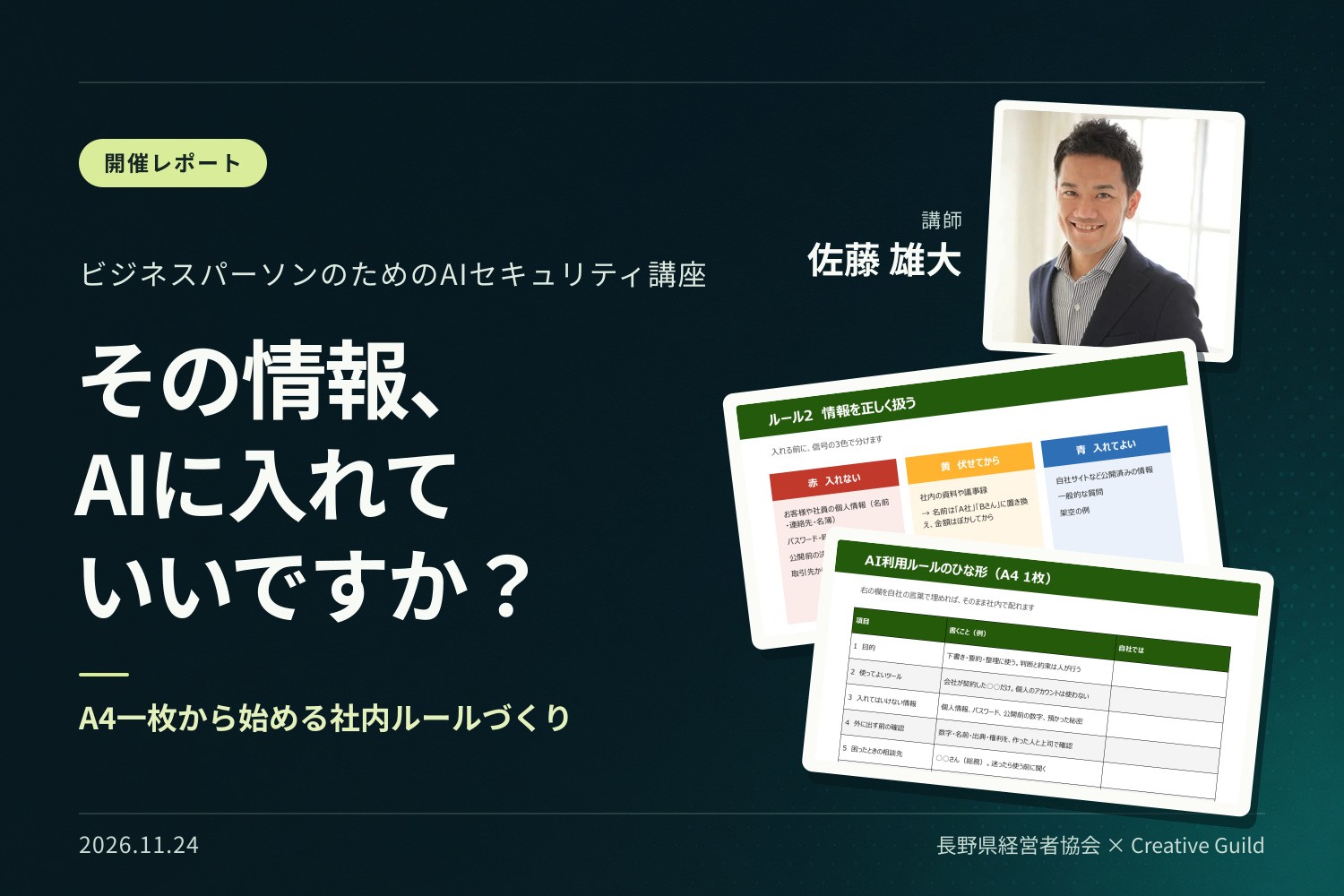
佐藤さんが紹介したルールは三つ。目的を明確にする。情報を正しく扱う。成果を確認する。 AIには要約や下書きを頼み、契約の最終判断やお客様への約束は人が担います。AIがつくった資料を共有する前には、数字・名前・出典・権利関係を人が確かめます。
入力する情報は、信号のように「赤・黄・青」で考えます。顧客名簿やパスワードは、入力しない「赤」。社内資料や議事録は「黄」で、会社のルールで認められる範囲を確かめ、必要な箇所に絞って固有名詞や金額を伏せます。公開済みの情報や架空の例は「青」。普段扱っている資料を当てはめてみると、自社でどこに線を引くかが具体的になります。
法人プランでも、入力する情報はどう判断する?
質疑では、法人プランなら機密情報を入力してよいのか、という質問が出ました。佐藤さんの説明には、入力した情報がAIの学習に使われるかと、会社としてその情報を外部サービスに預けてよいかという、二つの判断がありました。
契約や設定で学習への利用を確認したうえで、どの情報を入力してよいか、判断に迷ったら誰に聞くかを決めておく。ツールを選ぶところから、職場でどう使うかへと話が広がりました。
まず社内で聞いて、A4一枚にしてみる
「今、どのAIを何に使っていますか?」「入力してよいか迷った情報はありますか?」。講座で紹介されたルールづくりの第一歩は、こうした問いを現場に投げかけることでした。会社が把握していないAI利用は「シャドーAI」と呼ばれます。使ったことを責めずに聞けば、現場で役立っている使い方や、ルールがあれば判断しやすくなる場面が見えてきます。
A4一枚のひな形に書くのは、利用目的、使ってよいツール、入力してはいけない情報、共有前の確認、相談先、見直す時期の六つ。まずは自社の言葉で書いて共有し、使ってみて困ったことを持ち寄り、たとえば3か月後に見直す。最初の一枚が、迷ったときに相談し、現場の声でルールを育てていく出発点になります。
開催概要・関連リンク
2026年11月24日(火)13:30〜14:30/オンライン開催
主催:一般社団法人長野県経営者協会 / 協力:一般社団法人Creative Guild
Workshop Report: Can You Share That with AI?
Start with a One-Page Workplace Policy | November 24, 2026
On November 24, 2026, the Nagano Employers’ Association hosted the online workshop “AI Security for Business Professionals” in cooperation with Creative Guild. About 30 people joined us. The instructor was Yuta Sato, CEO of Bridge Dot Co., Ltd. and Creative Guild’s Digital & Learning Navigator.
You want to summarize a meeting or draft an email to a customer. As generative AI becomes part of everyday work, so do the questions: Can I give it this document? How much of its answer can I use? The workshop explored how to create a workplace AI policy people can turn to when those questions arise.
What should you check when a polished email arrives?
The workshop presented two emails that appeared to come from a business partner. Both were written in polite, natural Japanese. Which was genuine? The quiz revealed that both were fictional examples of fraudulent emails generated with AI.
If someone asks you to change bank details urgently, verify the request with your business partner using a contact method you already know, then check with a colleague before sending any money. Even when the wording is hard to judge, teams can make verification part of their normal workflow.
Before giving information to AI and before sharing its output
Sato introduced three rules. Define the purpose. Handle information properly. Check the output. AI can help with summaries and drafts. People make final decisions on contracts and commitments to customers, and check figures, names, sources and permissions before sharing AI-generated material.
The workshop used a traffic-light model to classify inputs. Customer lists and passwords are red: keep them out. Internal documents and meeting minutes are amber: check your company’s rules, use only the relevant portions and remove identifying names and financial figures. Public information and fictional examples are green. Try sorting the documents you handle every day to see where your company needs to draw the line.
How do you decide what to enter on a business plan?
During the Q&A, someone asked whether a business plan makes it acceptable to enter confidential information. Sato distinguished two decisions: whether the provider uses inputs to train AI and whether your company permits that information to be shared with an external service.
Check what your contract and settings say about training, then decide which information employees may enter and whom they can ask when in doubt. The discussion moved from choosing a tool to making it work in the workplace.
Ask your colleagues, then draft a one-page policy
Which AI tools are you using, and for what? Has there been any information you were unsure about sharing? The workshop suggested starting with questions like these. AI use that the company is unaware of is known as “shadow AI.” Asking without blame can reveal both what helps people do their jobs and where clear rules would help them make decisions.
The one-page template covers six things: purpose, approved tools, prohibited inputs, checks before sharing, who to ask, and when to review the policy. Write it in your own company’s language, share it and collect feedback on what was hard to apply. Revisit it in three months, for example. That first page gives people somewhere to turn when they are unsure and a way to improve the rules together.
Workshop details and related links
November 24, 2026, 1:30–2:30 p.m. JST | Online
Organizer: Nagano Employers’ Association | In cooperation with: Creative Guild
Workshop announcement | Speaker profile: Yuta Sato | December 8 content improvement workshop, Session 3




この記事へのコメントはありません。